Adding Sidechains
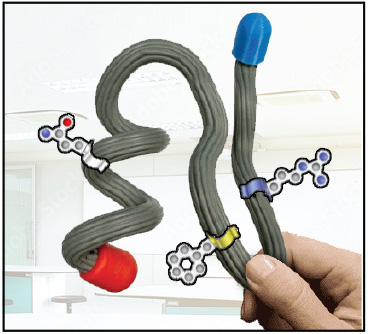
Prebuild models will earn points for having the correct overall shape, location of secondary structures and endcaps. But creative additions will also factor into a prebuild model's overall score.
One of the most common creative additions is the representation of sidechains on the prebuild model.
Note that it is not recommended to represent every single sidechain in a protein structure. But rather, focus on a few key sidechains that play an important role in the structure and function of the prebuild protein.

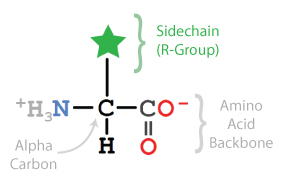
Prebuild models are generally built to look like backbone format, where the alpha carbon in each amino acid is shown, representing a bend or kink in the backbone. All of the other atoms within the amino acids are not displayed, including the Sidechain atoms.
But by using the select command followed by the amino acid residue number and then the command and sidechain, a specific amino acid's sidechain can be displayed.
We recommend displaying sidechains with spacefill 1.0.
To add a sidechain for Lysine 69 in the "Top 7" protein, use the command demonstrated below. Note the sidechain is colored red in this example to help visually show how it is displayed.
select lys69 and sidechain
spacefill 1.0
color red
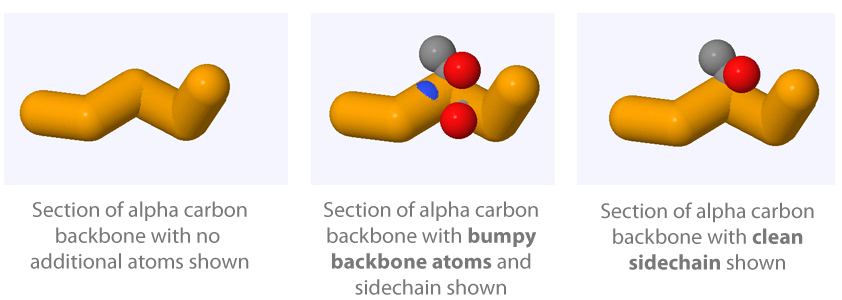
A "Bumpy" Backbone
If you were to add your sidechain without using the and sidechain syntax when selecting, it would produce a bumpy backbone. This means that the backbone atoms of the amino acid would be displayed, and partially show through the alpha carbon backbone display.
This is aesthetically distracting, and therefore should be avoided unless there is a specific reason for displaying the backbone atoms.
Adding Hetero Molecules
Many proteins interact with small molecules, often referred to as hetero molecules, that are not part of the protein chains.
All of the hetero molecules in a protein structure can be shown using the select and display format commands introduced earlier.
select hetero
spacefill only
color magenta
Every small molecule in a structure file is given a unique two or three-letter identifier that can be used to select them through the Jmol console.
For example, the "Top 7" protein structure has seven water molecules, each with the three-letter identifier HOH. To select and display these seven water molecules:
select HOH
spacefill only
color green
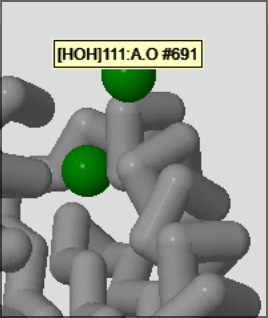
To determine what the unique identifier is for any given small molecule in a structure, roll your mouse cursor over the molecule and it will display a bit of information about the atom your are hovering over.
The first piece of information in the information box will tell you the unique identifier to use when selecting that molecule in the Jmol console.
Part 3 - Conclusion
The Sidechain Commands can be used to select, display and color individual amino acid sidechains in a protein structure.
Ligand Identifiers can be used to select, display and color molecules that are in a protein structure file but are not part of a protein or DNA. The unique two or three-letter identifier for a ligand can be determined by hovering the mouse over the ligand.
Putting It All Together
Jmol will play a crucial role in creating the prebuild model.
Teams will generate a Jmol representation of the protein structure selected for this year's prebuild, and then use that Jmol representation to guide the folding of the physical prebuild model and adding creative additions.
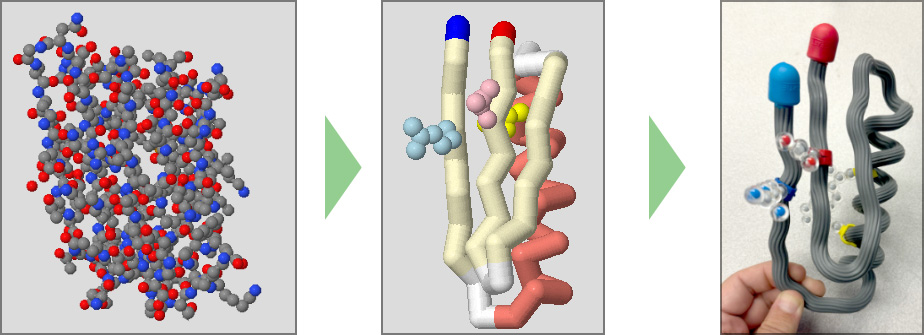
Below are recommended color, display format, and select commands that generate a useful style of Jmol display to use when folding a prebuild protein model.
NOTE: These recommended commands are demonstrated with the "Top 7" protein structure, which is not the protein structure selected for this years prebuild model. "Top 7" is an example protein structure, and should not be used to fold your prebuild model.
select all
backbone off
wireframe off
spacefill off
cartoon off
select :A and 46-94
backbone 1.25
color white
select helix
color salmon
select sheet
color lemonchiffon
select 46
color blue
select 94
color red
select phe67 and sidechain
spacefill 1.0
color yellow
select phe71 and sidechain
spacefill 1.0
color yellow
select glu91 and sidechain
spacefill 1.0
color pink
select arg49 and sidechain
spacefill 1.0
color lightblue